
Coin photo guide

The 2‑Inch Box Method
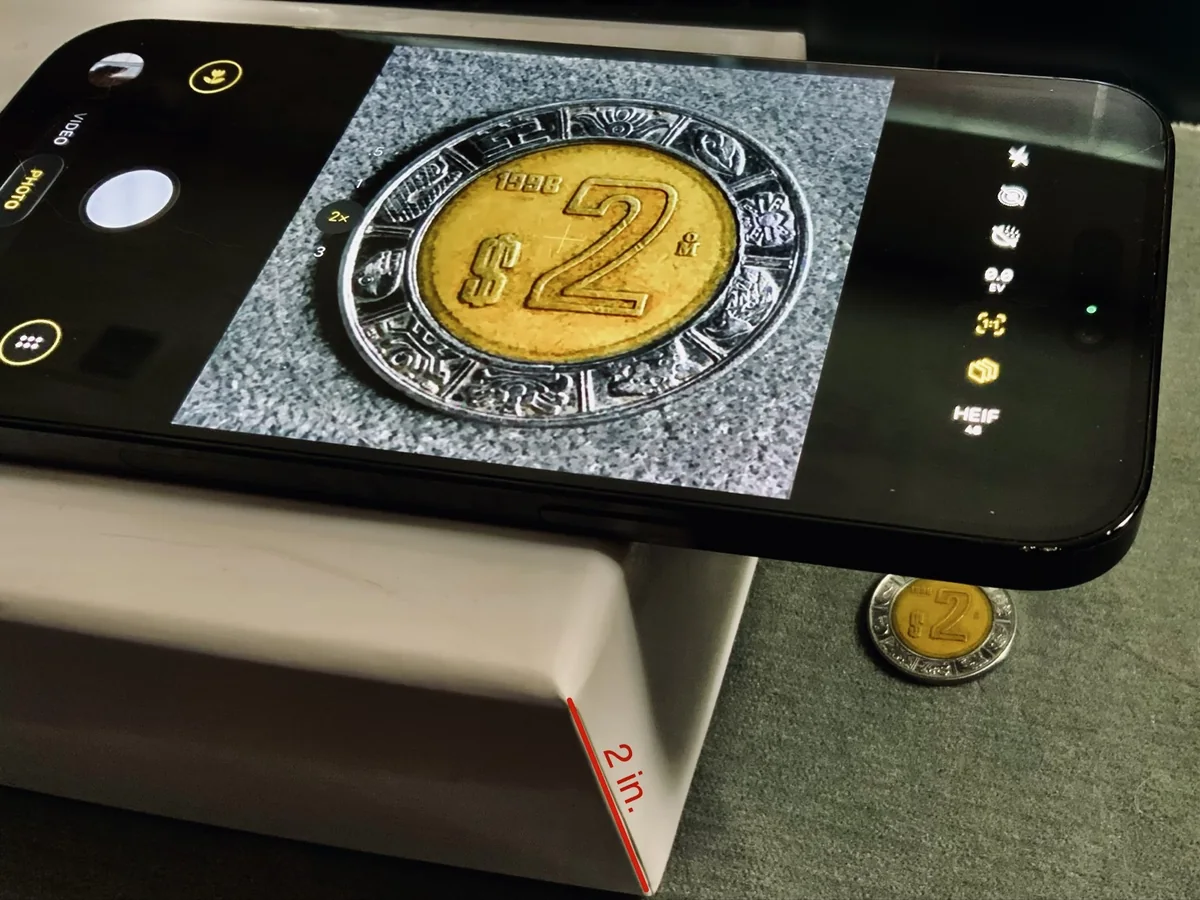
A 2-inch box, a soft solid-color cloth and your phone. Darker cloths work best; never use a white sheet. Lay the phone flat with the camera over the coin and zoom until the coin fills the frame. The whole coin must stay in view, and 2.5× is the limit.
Step by step
The setup in four photos
Tap a gold number on the photo to see what it points to.
Zoom by coin size
Preferred, acceptable, unacceptable
The whole coin must be visible to submit to Grateful Metals. The crop tool takes care of the rest, and the more of the frame the coin fills, the better.
Above 2.5×: not recommended. Image quality drops.
Four test coins, 18 shots
Each shot was taken with the iPhone 14 Pro Max flat on the 2-inch box. The percentage is how much of the frame the coin fills, measured from the photo and good to within a few percent.
Square (1:1) and 4:3 frames gave the same result: the coin has to fit the short side of the frame.
Zoom finder
Zoom for any coin or bullion
On the 2-inch box the frame shows about 61 mm across at 1×, so the zoom follows from the diameter. Pick a piece or type its diameter. For a bar, use its longest side.
Suggested zoom
1.4×
- Preferred
- Acceptable
- Unacceptable
Try it
Fill the frame, keep the whole coin
Move the zoom until the coin fills the square with the whole coin still showing. Then try the other controls to see what spoils a picture.
At a glance
The good frame, and what to fix
 GoodAcceptableAvoidAvoidAvoidAvoidAvoidAvoid
Why it matters
A coin is read by its smallest details
The photo stands in for the coin. Grateful a.i. Loupe, another collector and a grader all need the same things from it: lettering they can read and surfaces they can judge.
Light, reflections, steadiness
Suggestions for light, glare and focus
These come from published advice by coin photographers and camera makers, adapted to the 2-inch box. They have not been tested on this setup yet, so treat them as things to try.
Phones
How other phones compare
Only the iPhone 14 Pro Max was tested. Everything else here comes from published camera figures and reviews, so treat the zoom as a starting point and adjust until the coin fills the frame.
What to look for. From a 2-inch box the phone has to focus very close. Apple says the iPhone takes these close-ups with its Ultra Wide camera, and GSMArena describes them as a digital zoom from that camera, matched to the main camera's view. So every zoom step is a crop. On the 14 Pro Max that camera has 12 MP. Phones with a 48 or 50 MP close-up camera record about four times as many pixels.
Zoom notes for three new phones
All phones compared
Checklist
Before you tap the shutter
After the photo
Where these photos go
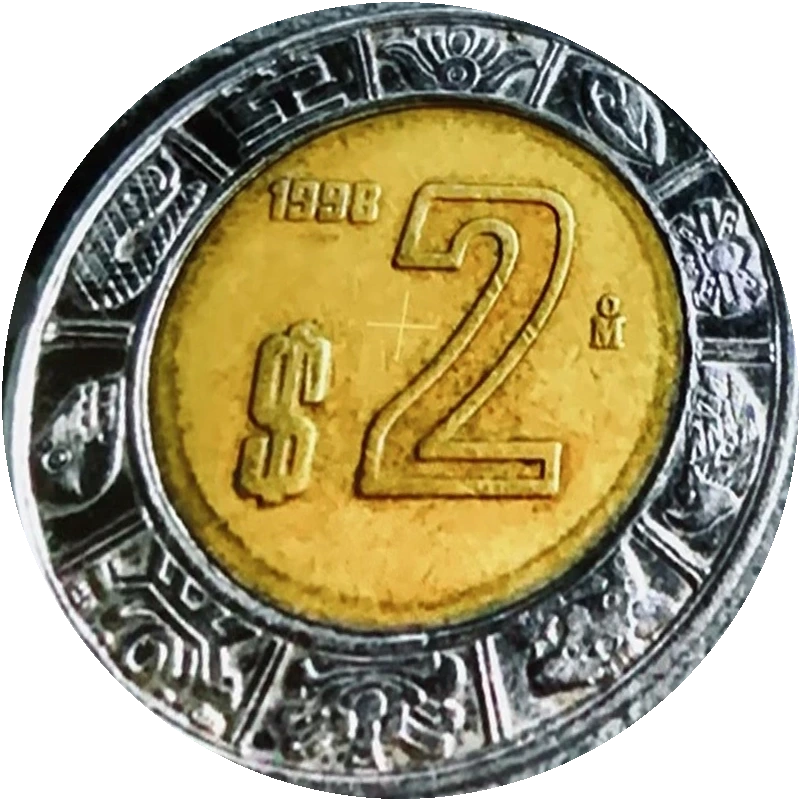
Add the front and back and Loupe suggests what the coin is.
Keep both sides with the coin's record in your private collection.
Offer your front and back photos to the Reference Guide. Each pair is reviewed before it appears.
Sources
Coin and bullion diameters and phone camera figures are as published by: